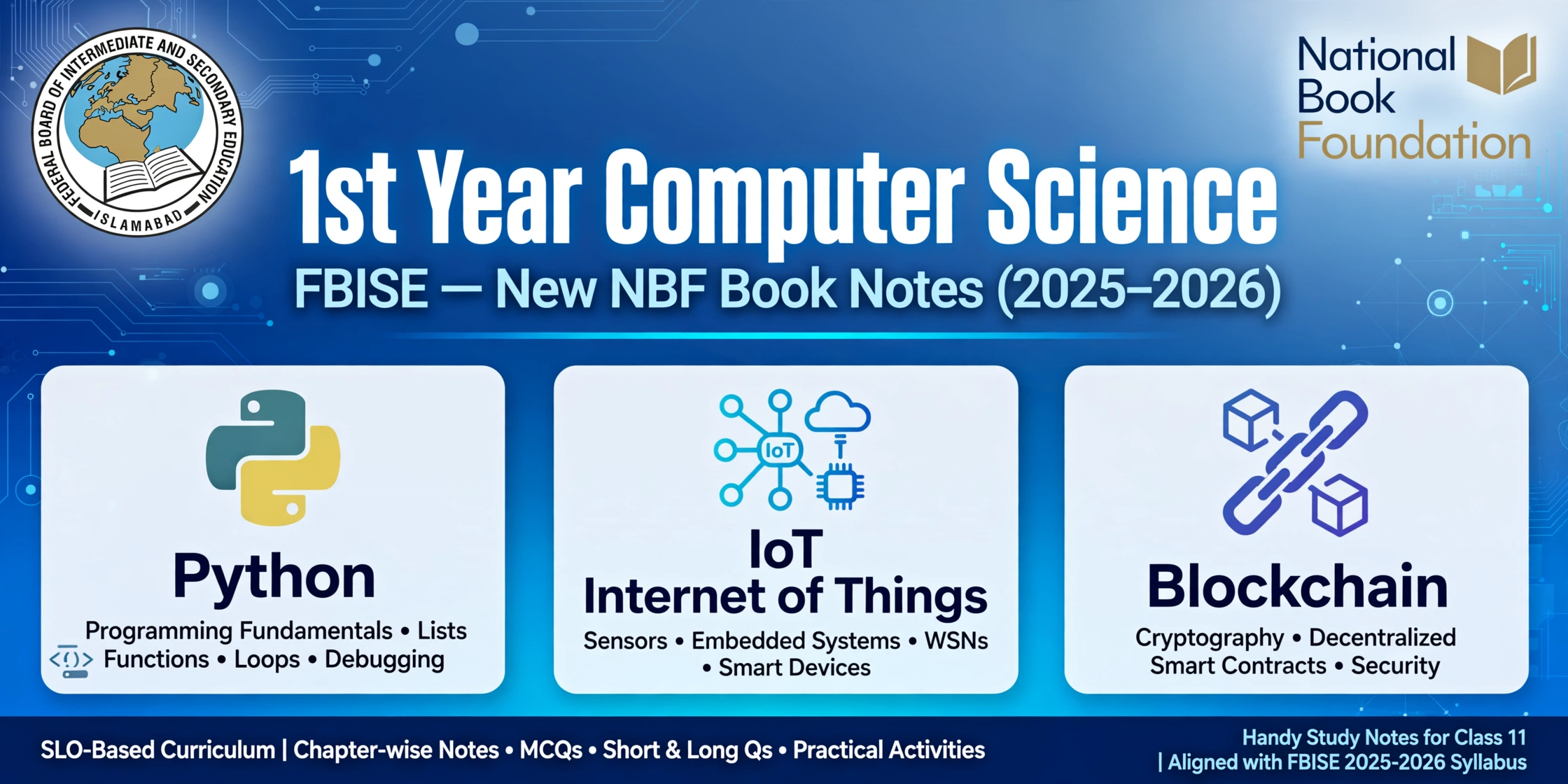
These fbise 1st year computer science new book notes are original study and revision notes for the New NBF Book. They are written in simple, student-friendly wording to help Class 11 students revise all 8 units chapter wise, practise short and long questions, and test themselves with MCQs.
Important honesty note: These are original study and revision notes only. They are NOT official FBISE notes, NOT the textbook, NOT board papers, NOT leaked material, and NOT a guarantee of any question or mark. Always revise from your prescribed textbook and your teacher’s guidance as well.
New-book note: This post is for the New NBF Book, which is different from the old computer science book. If you were studying the older book, the chapter order and some topics may not match, so check your book before you revise.
Download the PDF: Download FBISE 1st Year Computer Science New NBF Book Notes PDF (all 8 units, chapter-wise revision notes).
For the wider first-year collection, see 1st Year FBISE Notes All Subjects. For the older-book computer science collection, which is different from this New NBF Book, see 1st Year Computer Science Notes All Chapters — use that older post only if your class is still using the old book.
Table of Contents
Unit 1: Computer Systems
A computer system is not one machine alone. It is hardware, software, data and people working together. Inside a digital computer, information is held as binary digits, 0 and 1. A smooth, changing signal is analog, while a digital signal moves in clear steps. Small circuits called logic gates help a computer compare inputs and make decisions.
Important points:
- Binary means 0 is off and 1 is on in digital work.
- Analog is continuous; digital is made of separate steps.
- AND gives 1 only when every input is 1; OR gives 1 when any input is 1; NOT flips the input.
- SDLC is a planned path for building software: plan, study, design, build, test and look after it.
- In a star layout, devices link to a central switch; in a bus layout, devices share one main cable.
- Basic safety habits include strong passwords, updates and care before clicking unknown links.
Short question-answers:
Q1. How is data shown inside a digital computer? It is changed into binary form, using 0s and 1s, so it can be stored and processed.
Q2. What is the difference between analog and digital signals? An analog signal varies smoothly, while a digital signal takes fixed values, usually 0 and 1.
Q3. What is SDLC? It is the step-by-step process of planning, analysing, designing, building, testing and maintaining software.
Long question-answer: Explain logic gates and network layouts with examples. Logic gates are the building blocks of digital circuits. An AND gate gives 1 only when both inputs are 1, an OR gate gives 1 when at least one input is 1, and a NOT gate turns 0 into 1 and 1 into 0. Together, gates let a computer compare, decide and calculate. A network layout shows how computers are joined. In a star layout, each device links to a central switch, so one cable fault usually affects only one device. In a bus layout, all devices share one backbone cable, which can cost less, but a break in that cable can disturb the whole network. The best choice depends on cost, reliability and ease of control.
MCQs (answers at the end): 1. Data in a digital computer is shown as: (a) Decimal digits (b) Binary digits (c) Roman numerals (d) Pictures only. 2. An analog signal is: (a) Always 0 or 1 (b) Smooth and continuous (c) Made of letters only (d) A cable type. 3. An AND gate gives 1 when: (a) Any input is 1 (b) All inputs are 1 (c) No input is 1 (d) The input is reversed. 4. In a star layout, devices connect to: (a) One shared cable only (b) A central hub or switch (c) Each other directly (d) The internet only. 5. Cybersecurity mainly protects: (a) Only hardware (b) Only printers (c) Data, systems and networks (d) Only keyboards. Answers: 1-b, 2-b, 3-b, 4-b, 5-c.
Unit 2: Computational Thinking and Algorithms
Computational thinking means solving a problem in a clear, ordered way that a computer can follow. It starts by splitting a large problem into smaller parts, spotting patterns, leaving out unneeded detail, and then writing clear steps. A computational artefact is something made with a computer, such as a program, website, video, document or app.
Important points:
- Decomposition: break a large problem into small parts.
- Pattern recognition: find similarities between problems.
- Abstraction: keep the important details and ignore the rest.
- Algorithm design: write steps in the correct order.
- A good algorithm is clear, finite and gives a correct result.
- Searching finds data; sorting puts data in order.
Short question-answers:
Q1. What is a computational artefact? Any creative product made with a computer, for example a program, app, website, animation or digital document.
Q2. What is an algorithm? A step-by-step, finite procedure for solving a problem, written so clearly that it can be followed exactly.
Q3. Give two examples of common algorithms. Searching, such as finding a name in a list, and sorting, such as arranging marks from lowest to highest.
Long question-answer: How do you solve a problem with computational thinking? First, break the problem into smaller tasks so each part is easier to handle. Next, look for patterns in earlier problems that may help. Then remove detail that does not change the answer, so the core problem is clear. After that, write the steps in order, test them with a small example, and fix any step that is unclear or wrong. For example, to find the highest mark in a class, you can compare marks one by one, keep the largest seen so far, and repeat until the list ends. This method is simple, ordered and easy to check.
MCQs (answers at the end): 1. Decomposition means: (a) Hiding all detail (b) Breaking a large problem into small parts (c) Writing code only (d) Deleting data. 2. Abstraction means: (a) Focusing on important details and ignoring the rest (b) Copying a program (c) Sorting numbers (d) Drawing a chart. 3. An algorithm must be: (a) Endless (b) Unclear (c) Clear and finite (d) Written only in Python. 4. Sorting is used to: (a) Find one item (b) Arrange data in order (c) Delete a file (d) Hide a result. 5. A program made by a student is an example of: (a) Hardware (b) A computational artefact (c) A network cable (d) A virus. Answers: 1-b, 2-a, 3-c, 4-b, 5-b.
Unit 3: Programming Fundamentals with Python
Python is a popular programming language because its code is easy to read and write. A programmer writes instructions, runs them, and fixes mistakes. A variable is a named place that holds a value, while a list holds many values in order under one name. Loops repeat work, functions reuse named blocks of code, and libraries provide ready-made code.
Important points:
- A Python IDE gives an editor, a runner and debugging tools in one place.
- print() shows output; input() takes a value from the user.
- A list is ordered and changeable; its first item has index 0.
- A for loop repeats a fixed number of times; a while loop repeats until a condition becomes false.
- Functions avoid repetition and make code easier to read.
- A syntax error stops a program; a logic error gives a wrong result.
Short question-answers:
Q1. What is a Python IDE? Software that provides an editor, a runner and debugging tools to help write and test Python programs easily.
Q2. What is a variable in Python? A named storage place that holds a value, for example marks = 85.
Q3. What is the difference between a list and a single variable? A single variable holds one value, while a list holds many values in order under one name.
Q4. What is debugging? Finding, understanding and correcting errors in a program so it runs correctly.
Long question-answer: Explain loops, functions and libraries in Python with examples. A loop repeats a block of code. A for loop repeats a fixed number of times, for example printing numbers 1 to 5, while a while loop repeats until a condition becomes false. A function groups code under a name so it can be called again and again, for example a function to calculate an average can be used for many students. A library is ready-made code written by others, such as the math library for calculations or the turtle library for drawing. Using functions and libraries saves time, reduces errors and makes programs shorter and clearer.
MCQs (answers at the end): 1. Python is: (a) A hardware device (b) A programming language (c) A network cable (d) An operating system only. 2. In Python, print() is used to: (a) Take input (b) Display output (c) Delete files (d) Draw only. 3. The first item of a Python list has index: (a) 1 (b) 0 (c) -1 (d) 10. 4. A function is used to: (a) Repeat code without a name (b) Reuse a named block of code (c) Hide the program (d) Stop the computer. 5. Debugging means: (a) Writing new code (b) Finding and fixing errors (c) Buying a computer (d) Printing a program. Answers: 1-b, 2-b, 3-b, 4-b, 5-b.
Unit 4: Data and Analysis
Data analysis means collecting data, organising it, and finding useful meaning from it. Statistical modelling uses mathematical ideas to describe data and make simple predictions, for example finding an average or a trend. Good experimental design plans how data will be collected fairly, so results are reliable. Once data is collected, summary statistics and charts help explain it clearly.
Important points:
- Summary statistics summarise a dataset in a few numbers.
- Mean is the average; median is the middle value; mode is the most common value; range is highest minus lowest.
- A bar chart compares groups; a pie chart shows shares of a total; a line graph shows trends.
- Good experimental design avoids bias and uses a fair sample.
- Always label charts with a title and axes.
Short question-answers:
Q1. What is statistical modelling? Using mathematical models to describe data, find patterns and make reasoned predictions.
Q2. What is the mean of 10, 20 and 30? (10 + 20 + 30) / 3 = 20.
Q3. Which chart shows parts of a whole? A pie chart, because each slice represents a share of the total.
Q4. Why is experimental design important? It plans fair data collection, so conclusions are trustworthy and not based on biased or incomplete data.
Long question-answer: How do you analyse and present a dataset? Start by checking what the data shows and whether it is complete. Calculate simple summaries: the mean gives the average, the median shows the middle value, the mode shows the most frequent value, and the range shows the spread. Next, choose the right chart: use a bar chart to compare categories such as marks in different subjects, a pie chart to show shares such as how students travel to college, and a line graph to show change over time such as temperature across a week. Finally, add clear titles and labels, and write one or two sentences explaining what the chart shows, without exaggerating beyond the data.
MCQs (answers at the end): 1. The median is: (a) The average (b) The middle value (c) The largest value (d) The smallest value. 2. A line graph is best for showing: (a) Parts of a whole (b) Change over time (c) Only names (d) Random data. 3. Experimental design helps to: (a) Create bias (b) Collect data fairly (c) Hide results (d) Skip analysis. 4. The range is: (a) Highest minus lowest (b) Highest plus lowest (c) Most common value (d) Middle value. 5. A bar chart is mainly used to: (a) Compare categories (b) Show time only (c) Write essays (d) Store data. Answers: 1-b, 2-b, 3-b, 4-a, 5-a.
Unit 5: Application of Computer Science with IoT and Blockchain
The Internet of Things, or IoT, means everyday devices connected to the internet so they can send and receive data, for example smart bulbs, fitness bands and sensors. Cheap sensors, wireless networks, cloud computing and small, low-cost processors made IoT practical. Blockchain is a shared, linked record system in which data is stored in blocks chained together, making past records hard to change without agreement.
Important points:
- IoT is connected devices exchanging data automatically.
- Sensors collect data; networks carry it; cloud systems store and analyse it.
- Blockchain blocks are linked and protected by cryptography.
- Blockchain plus IoT can increase trust in recorded data.
- AI stakeholders care about safety, privacy, fairness and clear responsibility.
Short question-answers:
Q1. What is the Internet of Things? A network of physical devices with sensors and internet connections that collect and share data automatically.
Q2. What is blockchain in simple words? A linked, shared record of blocks that is hard to alter, because each block is connected to the previous one and protected by cryptography.
Q3. Give one benefit of integrating blockchain with IoT. Sensor data can be stored in a shared, tamper-resistant record, increasing trust in the data.
Q4. Who are stakeholders in AI systems? Users, developers, owners, regulators and anyone affected by the system’s decisions.
Long question-answer: Explain IoT, blockchain and stakeholder interests in AI. IoT connects everyday objects to the internet, allowing them to sense, share and act on data — for example a smart meter reporting electricity use. Blockchain provides a shared ledger where records are grouped in blocks, chained and secured, so changing an old record is very difficult. Together, IoT devices can write trustworthy data to a blockchain, useful where many parties must agree on the same record. In AI systems, different stakeholders have different interests: users want safe and useful results, developers want clear rules, owners want efficiency, and regulators and affected people want fairness, privacy and accountability when an AI decision affects them.
MCQs (answers at the end): 1. IoT devices mainly: (a) Work without any data (b) Collect and share data over the internet (c) Only store paper (d) Replace all computers. 2. Blockchain stores data in: (a) Single files only (b) Linked blocks (c) Printed books (d) Sound waves. 3. Cryptography in blockchain helps to: (a) Make data readable to all (b) Secure and protect records (c) Delete data (d) Slow networks only. 4. A stakeholder in AI is: (a) Only the programmer (b) Anyone affected by or involved in the system (c) Only the seller (d) Only the user. 5. IoT was enabled by: (a) Expensive sensors only (b) Cheap sensors, wireless networks and cloud computing (c) Paper records (d) No technology. Answers: 1-b, 2-b, 3-b, 4-b, 5-b.
Unit 6: Impacts of Computing
Information is processed data that is useful for a decision. Its sources include books, websites, databases, experts and official records. Safe use means checking the source, respecting copyright and privacy, and avoiding harmful or false content. Bias in data means the data unfairly favours one group or view, which can lead to unfair results. Reliable information comes from trustworthy, accurate and up-to-date sources.
Important points:
- Check source, author, date and evidence before trusting information.
- Bias in data can cause unfair decisions.
- Humans are better at judgement and ethics; computers are better at speed and repetition.
- Connectivity brings benefits and costs for environment, culture and people.
- Assistive technology increases independence and inclusion.
- The digital divide is the gap between people who have access to technology and those who do not.
Short question-answers:
Q1. What is bias in data? When data unfairly represents or favours one group, leading to unfair or incorrect conclusions.
Q2. How can you verify a data source? Check the author and publisher, the date, the evidence given, and whether other reliable sources agree.
Q3. What is the digital divide? The gap between people who have access to digital technology and the internet and those who do not.
Q4. Give an example of an assistive device. A screen reader, which reads screen text aloud for a person with visual difficulty.
Long question-answer: Discuss the positive and negative impacts of increased connectivity. Increased connectivity lets people communicate instantly, learn online and work from many places, and it helps share culture and knowledge worldwide. It can also support smart energy use and better services. On the other hand, it increases device production and energy use, which affects the environment; it can pressure local cultures through dominant global content; and for people it can cause distraction, privacy risks and over-dependence on screens. The solution is balanced use: use connectivity for learning and inclusion, protect privacy, check information carefully, and ensure access is shared fairly so the digital divide does not grow.
MCQs (answers at the end): 1. Reliable information is: (a) Anonymous and old (b) Accurate, trustworthy and up to date (c) Always popular (d) Always long. 2. Bias in data can lead to: (a) Fair results (b) Unfair results (c) No results (d) Faster computers. 3. The digital divide is about: (a) Screen size (b) Unequal access to technology (c) Computer speed (d) Book prices. 4. An assistive device helps: (a) Only gamers (b) People with disabilities to use technology (c) Only teachers (d) Only programmers. 5. A task suitable for humans is: (a) Fast calculation (b) Ethical judgement (c) Sorting millions of records (d) Repeating one task all day. Answers: 1-b, 2-b, 3-b, 4-b, 5-b.
Unit 7: Digital Literacy
Digital literacy means being able to find, understand, evaluate, create and share information using digital tools, safely and responsibly. Data collection strategies are planned ways of gathering data for a research question, for example surveys, interviews, observations and existing records. The choice depends on the question, the people involved, time and cost. Data presentation for research questions means showing results clearly so the reader can understand the answer.
Important points:
- Digital literacy includes safety, privacy and critical thinking, not just using devices.
- Choose a data collection method that fits the research question.
- Surveys reach many people; interviews give deeper detail; observation records real behaviour.
- Present data with clear titles, labels and units.
- Explain what the data shows and what it does not prove.
Short question-answers:
Q1. What is digital literacy? The ability to find, evaluate, use and share digital information safely, responsibly and effectively.
Q2. Name two data collection strategies. Surveys (written questions to many people) and interviews (detailed spoken answers from fewer people).
Q3. Why is clear data presentation important? It helps readers understand the answer to the research question quickly and correctly, without confusion or misleading impressions.
Q4. What should you do about missing data? State it honestly instead of hiding it, because hiding it can mislead readers.
Long question-answer: How would you collect and present data for a research question? Start with a clear research question, for example: How many hours do students study each day? Choose a method: a short survey can reach many students quickly. Collect data fairly, protect privacy, and record answers carefully. Then organise the data into a table, calculate simple summaries such as averages, and choose a chart — a bar chart to compare groups, for example. Finally, write a short conclusion stating what the data shows, note any limits such as a small sample, and avoid claiming more than the data supports.
MCQs (answers at the end): 1. Digital literacy includes: (a) Only typing fast (b) Finding, evaluating and sharing digital information safely (c) Only playing games (d) Buying devices. 2. A survey is useful to: (a) Interview one person deeply (b) Collect answers from many people (c) Observe without asking (d) Hide data. 3. A table is best for: (a) Exact values (b) Only pictures (c) Hiding numbers (d) Long stories. 4. Honest data presentation should: (a) Hide missing data (b) State limits clearly (c) Exaggerate differences (d) Remove titles. 5. Interviews give: (a) Less detail than surveys (b) Deeper, detailed answers (c) No data (d) Only numbers. Answers: 1-b, 2-b, 3-a, 4-b, 5-b.
Unit 8: Entrepreneurship in Digital Age
Entrepreneurship in the digital age means starting and growing a business using digital tools, platforms and ideas. Product development is the process of turning an idea into a product people want: find a problem, think of a solution, design it, test it and improve it. Understanding prototypes means knowing that a prototype is an early, simple version of a product made to test an idea quickly and cheaply.
Important points:
- Start from a real problem, not just a product idea.
- A prototype tests an idea before spending a lot of money.
- Feedback from users is more valuable than guessing.
- An MVP is minimal but viable: it must actually work for its main purpose.
- Launch, learn, improve, repeat.
Short question-answers:
Q1. What is a prototype? An early, simple version of a product made to test an idea quickly and cheaply before full development.
Q2. What is an MVP? Minimum Viable Product — the simplest version of a product that still solves the main problem for real users.
Q3. Why test a prototype with users? To find problems, understand real needs, and improve the product before launching it fully.
Q4. What is the first step in product development? Finding a real problem that users face and understanding it clearly.
Long question-answer: Explain the journey from idea to MVP. The journey starts by identifying a problem and the people who face it. Next, a solution idea is designed and a prototype is created — a rough version that shows the main features. The prototype is tested with real users, feedback is collected, and problems are fixed. Then the team builds the MVP, the simplest working version that solves the core problem, and launches it to real users. After launch, the team watches how users use it, collects more feedback, and improves the product step by step, adding features only when users actually need them.
MCQs (answers at the end): 1. A prototype is: (a) The final product (b) An early version to test an idea (c) An advertisement (d) A business plan only. 2. MVP stands for: (a) Most Valuable Person (b) Minimum Viable Product (c) Maximum Value Price (d) Main Video Program. 3. Testing a prototype helps to: (a) Waste time (b) Find problems early (c) Hide feedback (d) Avoid users. 4. Product development starts with: (a) Advertising (b) Finding a real problem (c) Selling shares (d) Hiring many staff. 5. After launching an MVP, a team should: (a) Stop improving (b) Learn from users and improve (c) Ignore feedback (d) Close the business. Answers: 1-b, 2-b, 3-b, 4-b, 5-b.
How to Use These FBISE 1st Year Computer Science New Book Notes
Revise one unit at a time. Read the explanation, try the short questions, then attempt the MCQs without looking at the answers. Check what you missed and revise that unit again from your textbook.
Revision Checklist
- Unit 1: Can I explain binary, analog and digital signals, logic gates, SDLC and star vs bus layouts?
- Unit 2: Can I break a problem into parts, spot patterns, and write a clear, finite algorithm?
- Unit 3: Can I explain variables, lists, loops, functions, libraries and debugging in Python?
- Unit 4: Can I find mean, median, mode and range, and choose the right chart for data?
- Unit 5: Can I explain IoT, blockchain, and why AI stakeholders care about safety and fairness?
- Unit 6: Can I check a source, explain bias, and discuss the digital divide and connectivity impacts?
- Unit 7: Can I choose a data collection method and present results honestly and clearly?
- Unit 8: Can I explain a prototype, an MVP, and the steps from idea to launch?
- Final check: Have I tried every MCQ set above without looking at the answers first?
- Final check: Have I downloaded the PDF and revised one unit at a time from my textbook as well?
Download again: Download FBISE 1st Year Computer Science New NBF Book Notes PDF. Remember, these fbise 1st year computer science new book notes are original revision notes only, not official FBISE notes and not a guarantee.